Simplifying churn insights through a data led dashboard
A UX case study on designing a dashboard that helps internal teams identify customer churn patterns, understand churn drivers, and act on insights, for a global diagnostic systems manufacturer specializing in diabetes care and glucose monitoring.
Client
A global diagnostic systems manufacturer specializing in diabetes care and glucose monitoring systems.
Business Objectives
Proposed Solution
Design and implement a user friendly dashboard that enables teams to:
UX Process
Churn in simple terms is, when customers stop using a product or service.
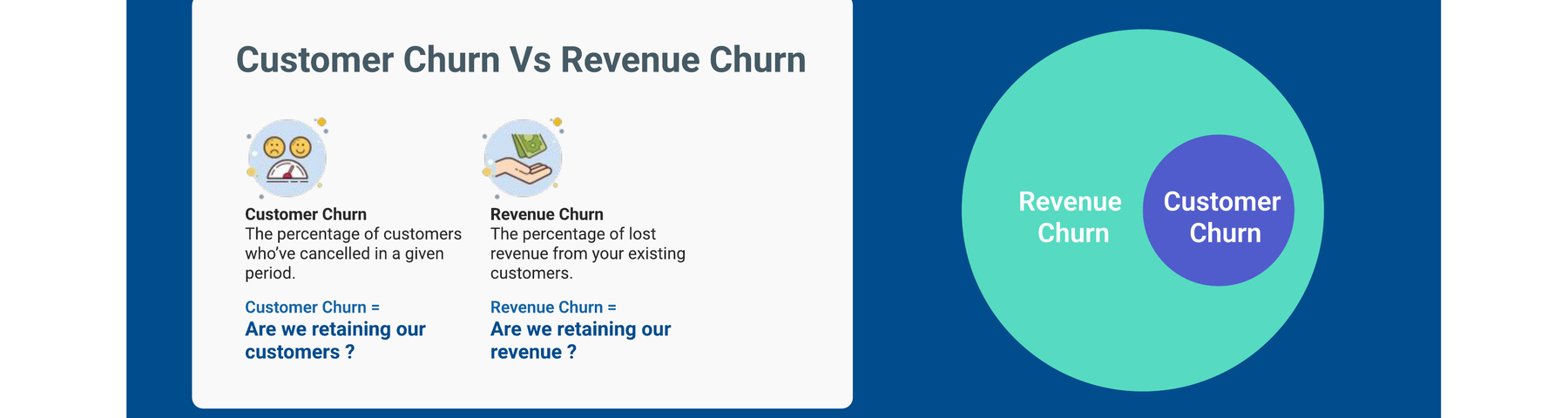
The ratio of customers lost during a given period to the total number of customers at the start of that period.
To better understand real user frustrations and motivations, we conducted secondary research in collaboration with the data team. We did the following:
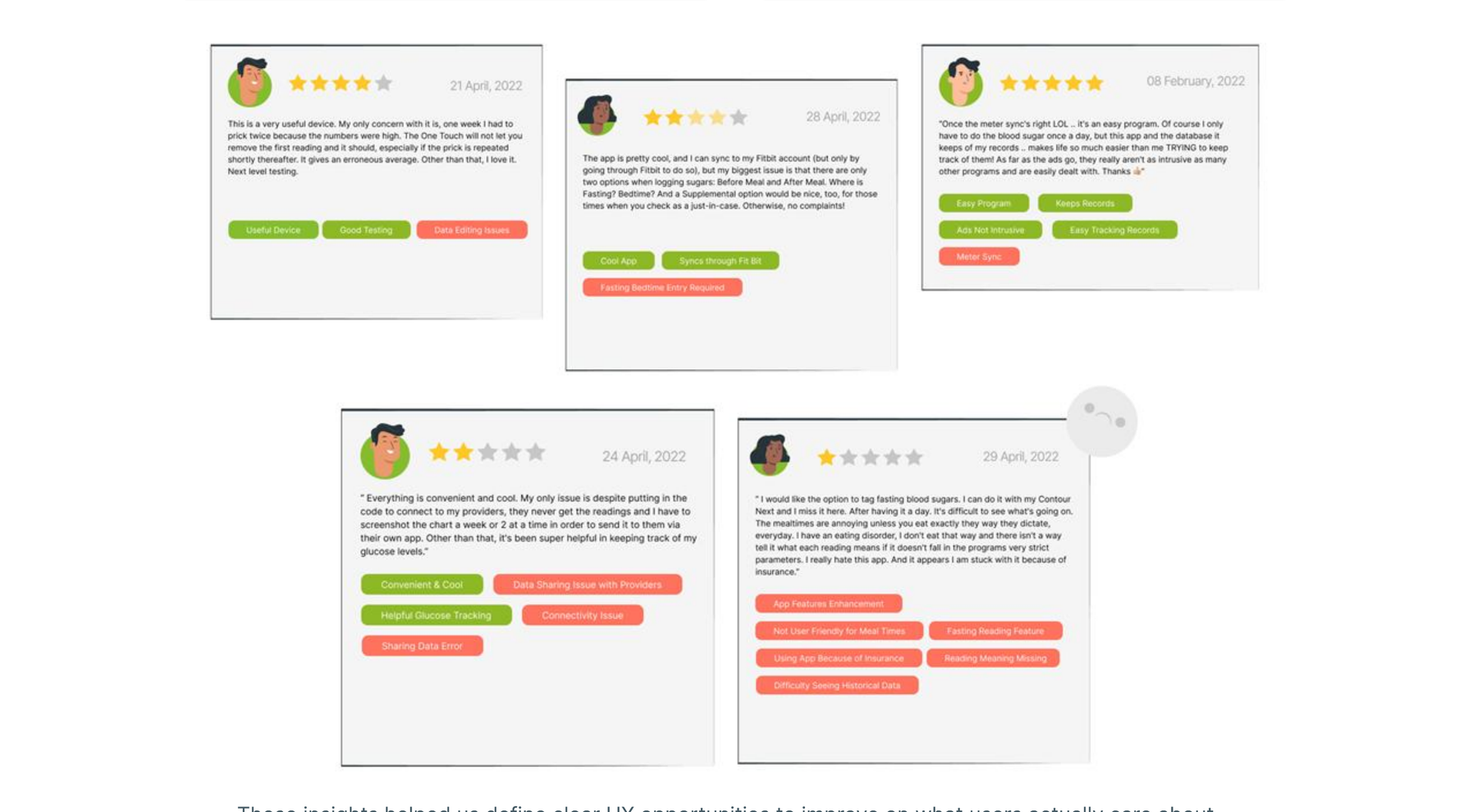
These insights helped us define clear UX opportunities to improve on what users actually care about.
We examined three major competitors: OneTouch Reveal, Glucose Buddy, and mySugr.
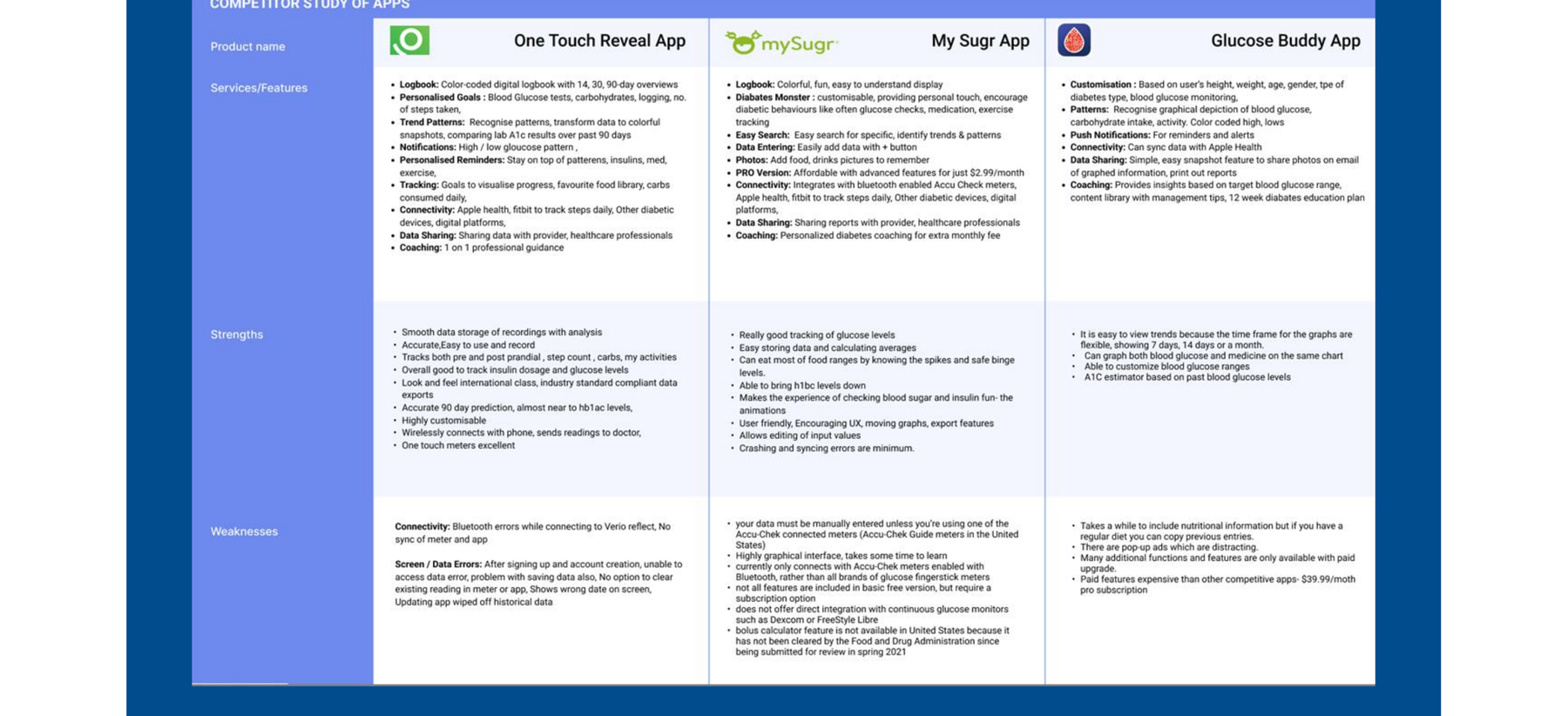
The following were the improvement areas derived from competitor study:
A key user we designed for is Danny Roy, a Data Scientist who analyzes churn weekly.
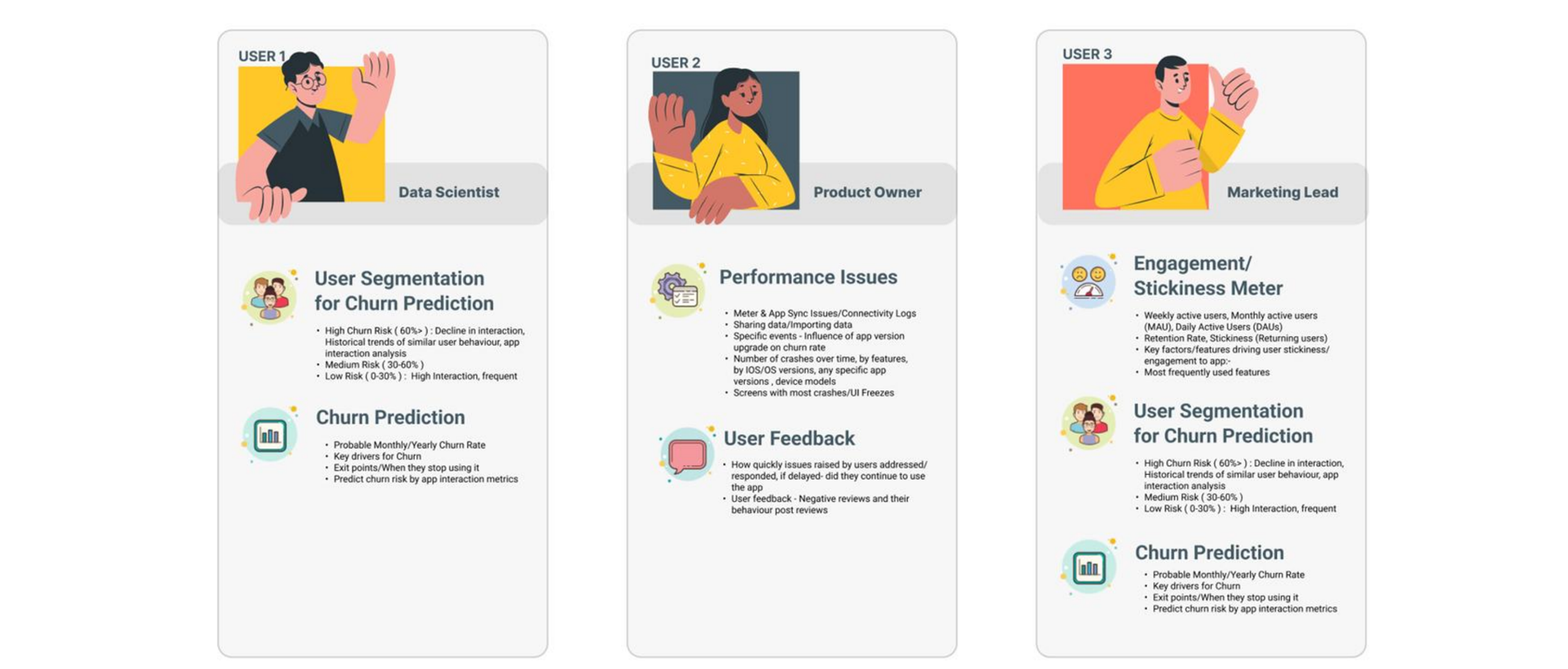
We created user persona for the users of the dashboard, data scientists, product owners, and marketing lead, to identify the key focus area responsibilities of the user.
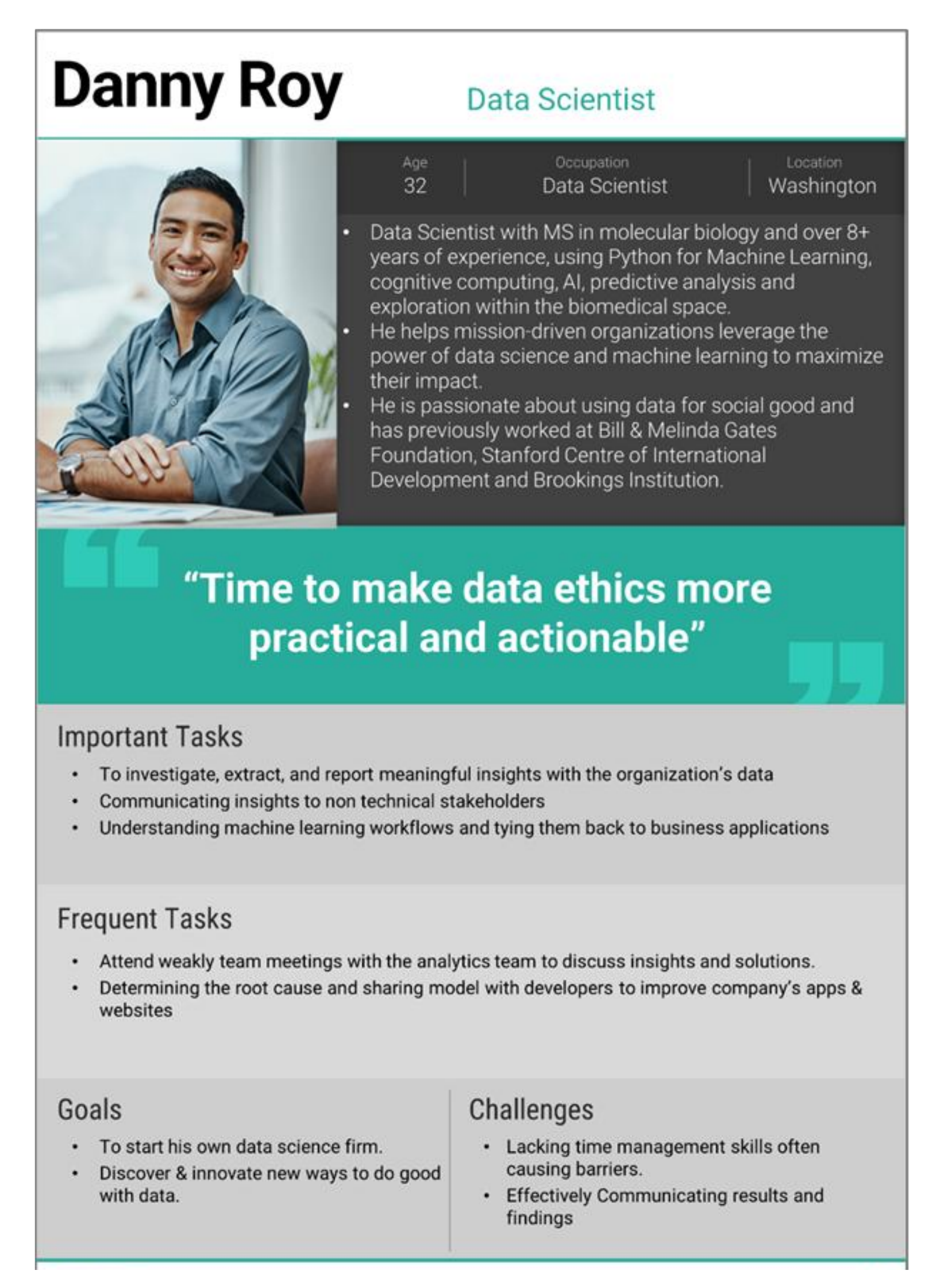
Danny's journey helped us build a role aware dashboard, tailored for clarity and quick decision making.
After creating user personas for each user type we mapped the relevant KPIs for each user persona.
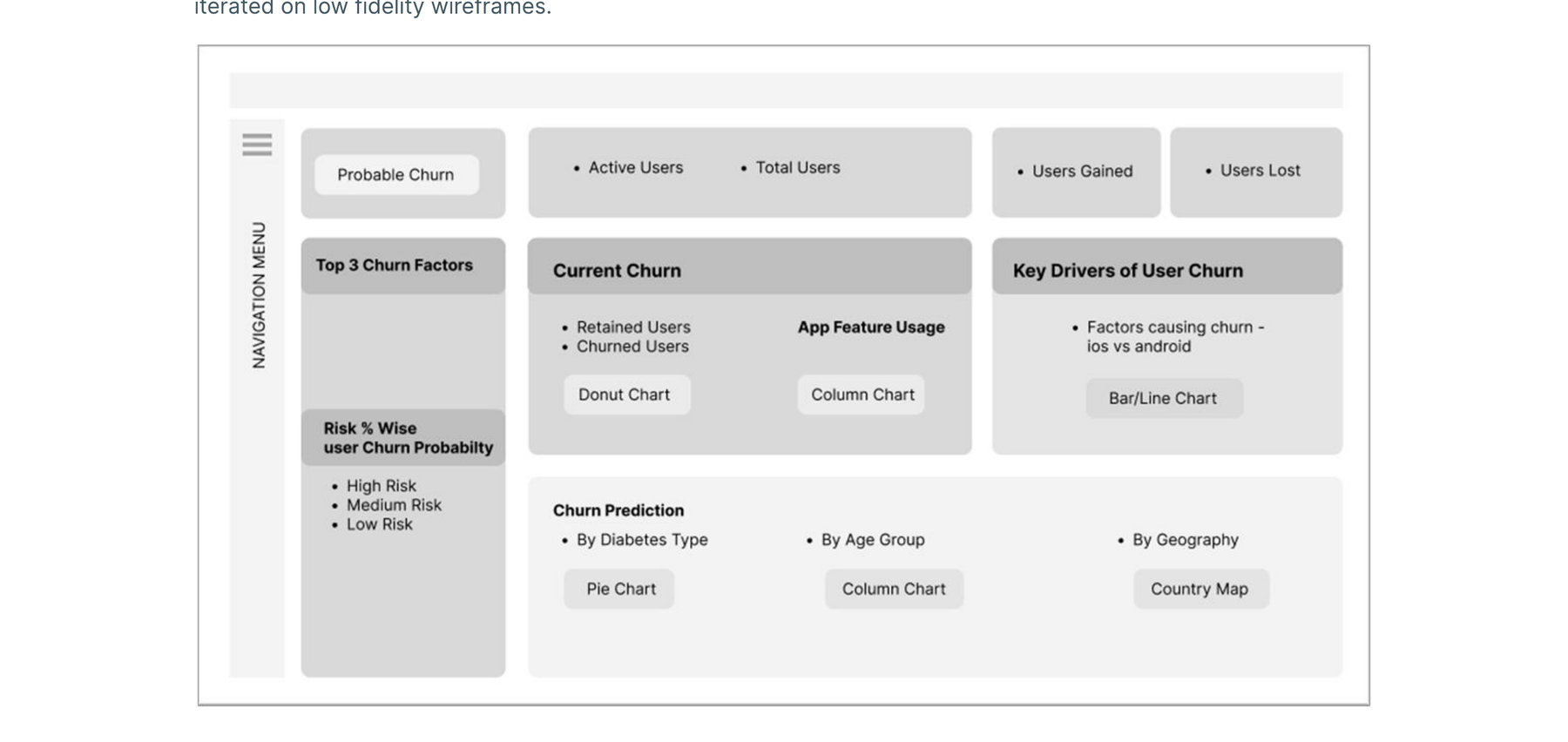
Created concept dashboard and coordinated with stakeholders to get continuous feedback and iterated on low fidelity wireframes.
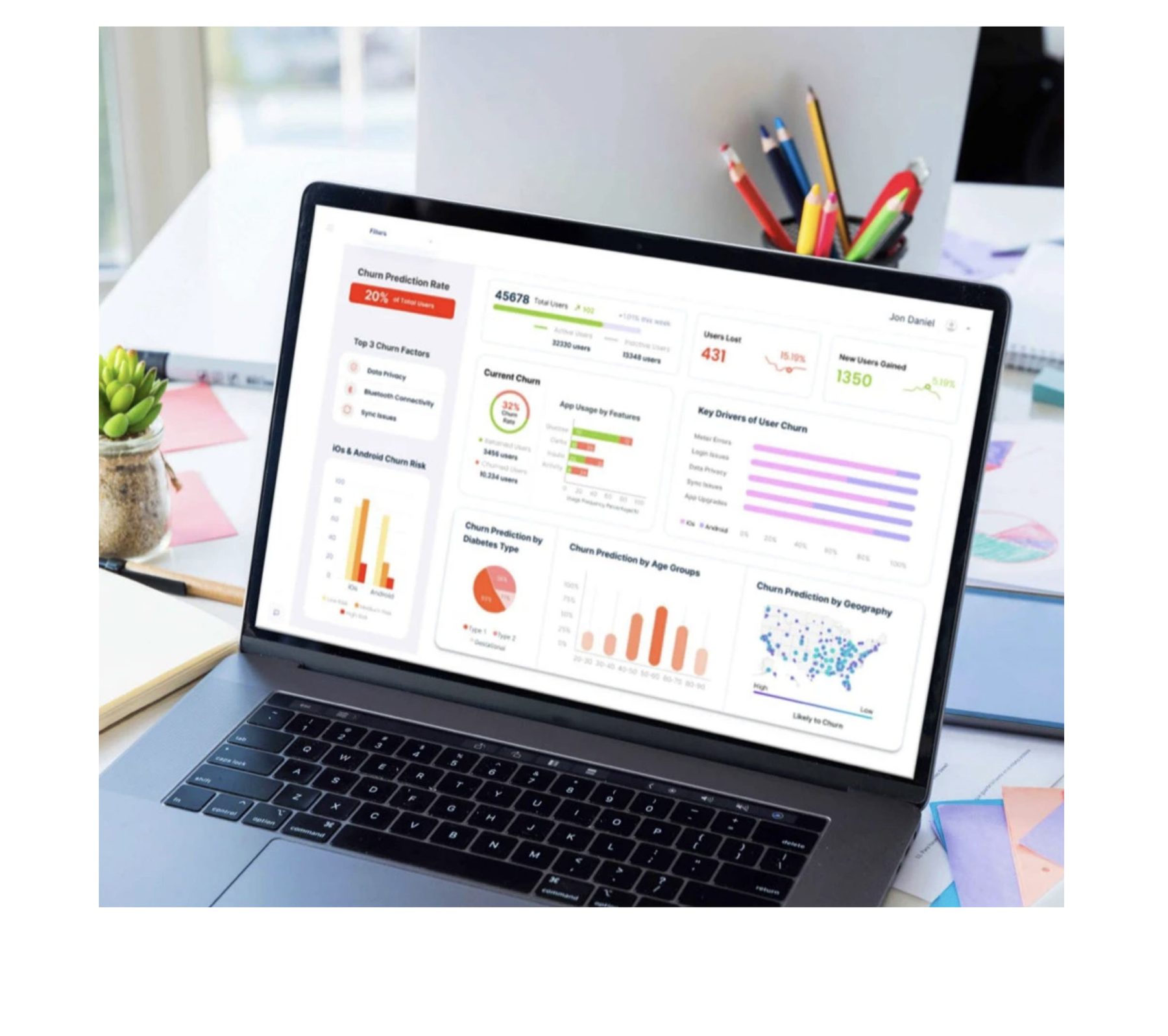
The final dashboard was designed to bring clarity, depth, and actionability to the churn prediction process. It clearly communicates key drivers of churn surfaced directly at the top: meter errors, login issues, data sync problems, privacy concerns, and app version related drops, especially post upgrades.
Left section of the dashboard shows:
Right section highlights:
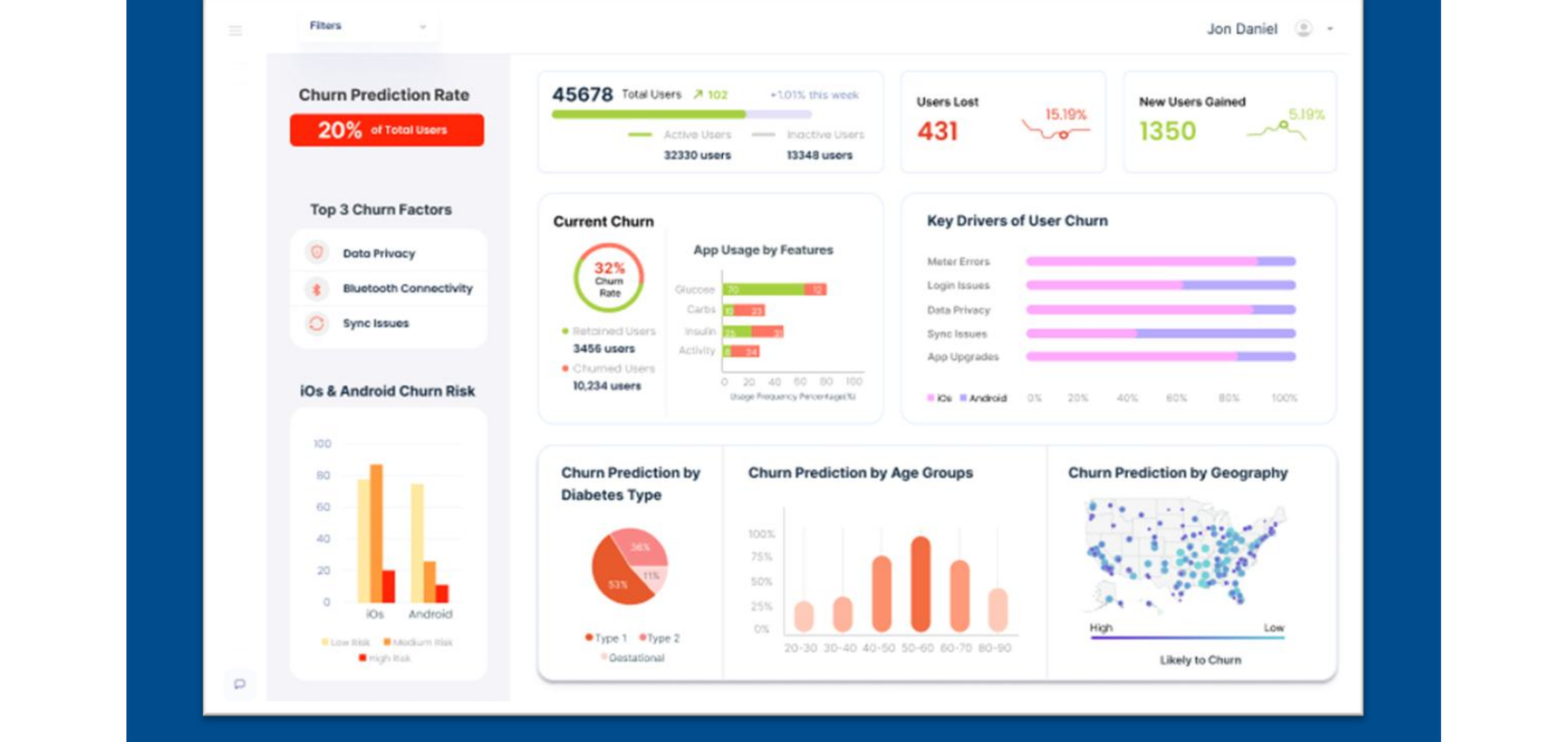
Together, these visualizations help internal teams identify trends, uncover user pain points, and take proactive actions to reduce churn.
This case study was a great example of how user experience design can make complex data actionable and human friendly. It combined real user feedback, AI and ML driven insights, and clear visual storytelling.
Also, aligned multiple teams, from data scientists to support leads, with a shared, easy to understand view of user behavior.
Most importantly, it helped move the conversation from "What's going wrong?" to "Here's what we can fix, and how."
More Work