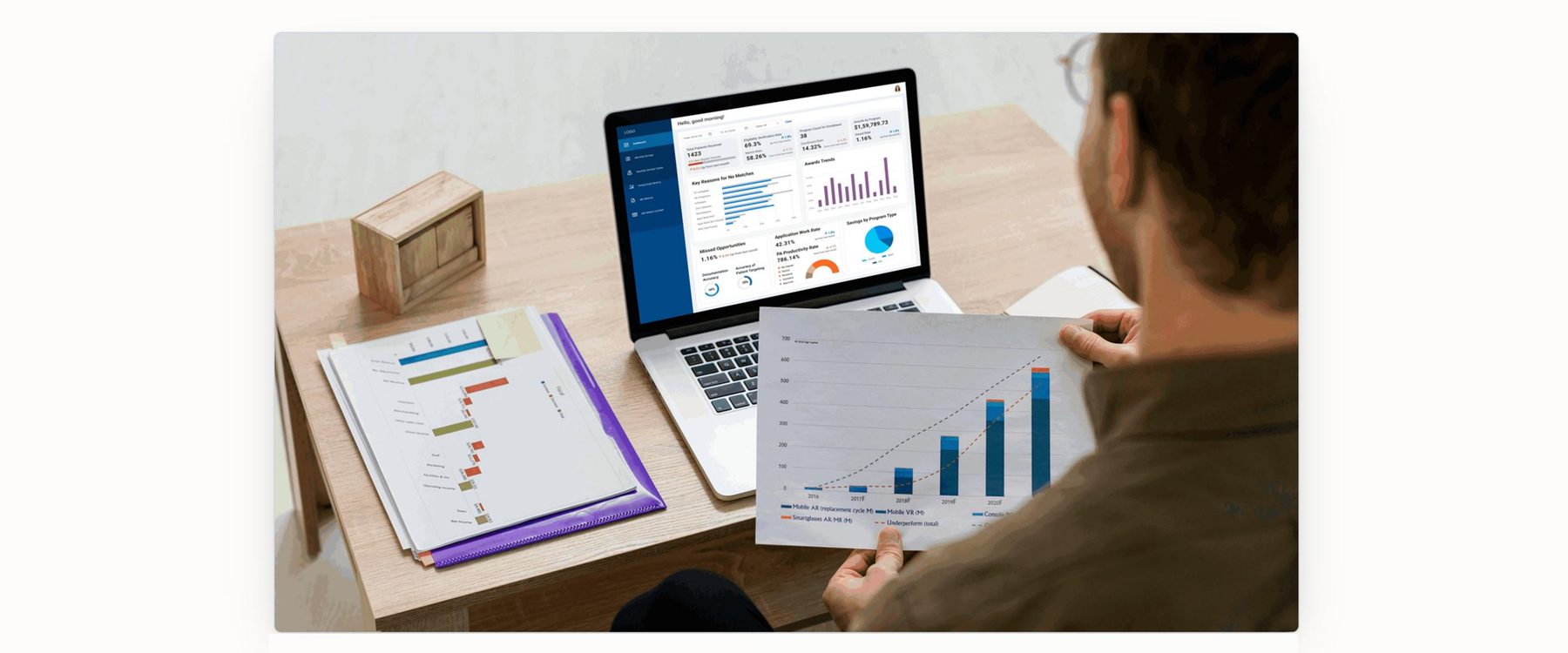
A web application for tracking patient matching, savings, and program health
A reporting and decision support tool for U.S. healthcare program teams. It replaces fragmented spreadsheet workflows with a single, structured way to track patient matching, savings, and program health.
This project was designed for U.S. healthcare program teams that manage philanthropic patient support initiatives. The goal was to move away from spreadsheet based workflows and create a more structured, actionable way to track program performance, patient matching, savings, and operational metrics.
The application works as a centralized reporting and decision support tool for teams handling patient assistance programs. Instead of working across multiple Excel files, users can use one system with a dashboard and supporting modules to monitor program health, find issues faster, and take action with more confidence.
The team was depending on spreadsheets to track patient support programs, savings, and reporting. That made the workflow slow, fragmented, and difficult to interpret, especially when comparing trends, identifying no match reasons, or understanding where funds were making the most impact.
Since the data lived across manual files, users had to spend too much time compiling, validating, and analyzing information before they could make decisions. It was also harder to spot missed opportunities and respond quickly to exceptions.
The goal was to design a web application that brought key operational and financial metrics into one place. The experience needed to support both quick monitoring and deeper analysis, so users could move from overview to diagnosis without losing context.
At a product level, the application aimed to improve patient targeting, reduce manual reporting effort, and support more informed client and program management decisions.

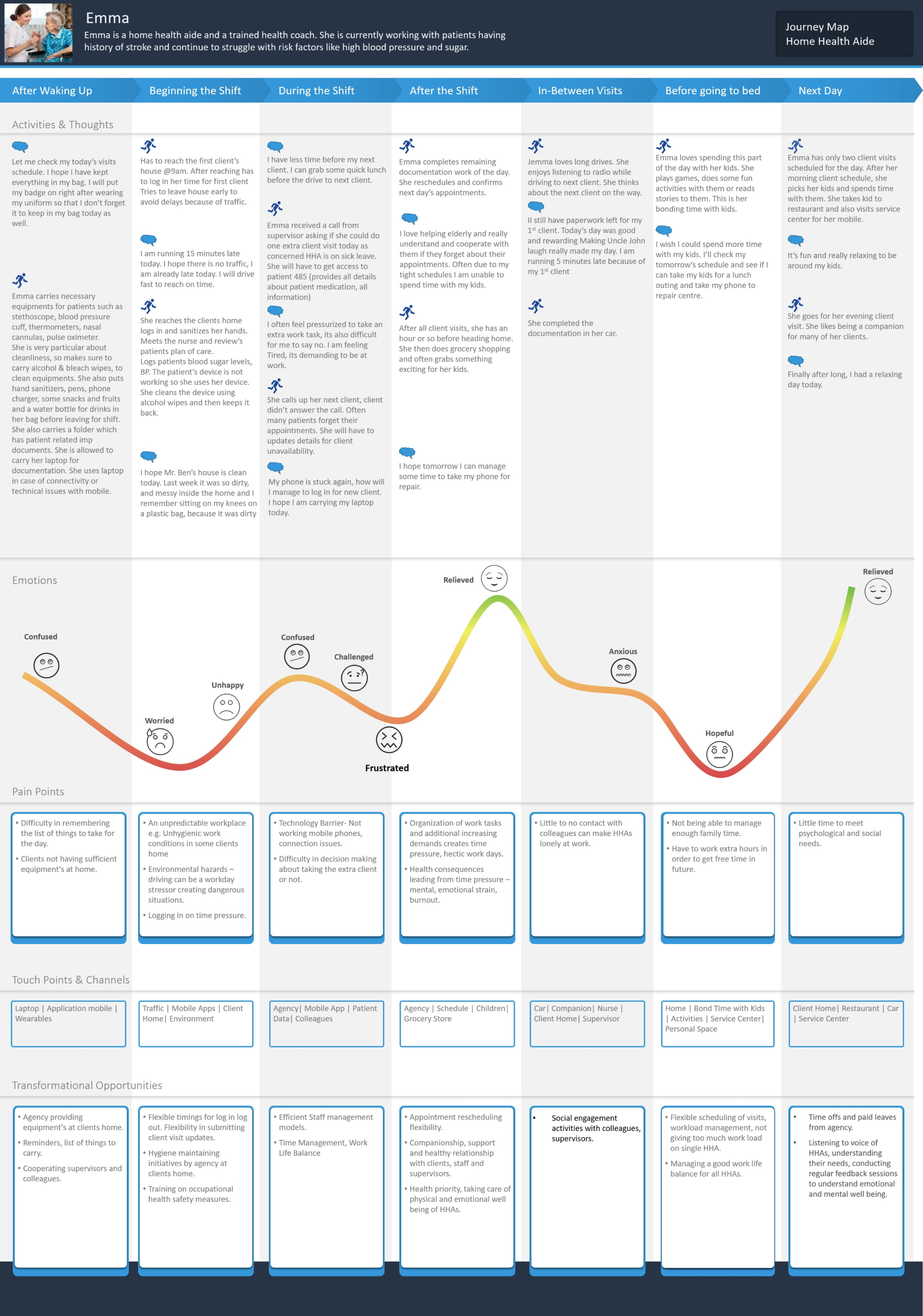
Megan manages patient assistance and philanthropic support programs. Her role involves monitoring performance, reviewing match outcomes, tracking savings, and routing eligible patients into the right programs efficiently.
The application is structured around Megan's workflow. She starts with a high level overview, then moves into more detailed reporting depending on what she sees, going from quick daily monitoring into deeper problem solving without losing context.
Quick read on overall program health.
Understand financial impact and trends.
Assess how the team is performing.
Diagnose why patients are not matching.
The web application is organized into a dashboard and supporting reporting modules in the left navigation. This gave the product a clear structure and made it easy to move from summary to detail.
| 01 | Dashboard | Module |
| 02 | Monthly Savings | Module |
| 03 | Monthly Savings by CO PAY | Module |
| 04 | Productivity Metrics | Module |
| 05 | ME Metrics | Module |
| 06 | ME Metrics Limited | Module |
The dashboard brings together summary KPIs such as patient volume, eligibility verification, enrollments, awards, and missed opportunities, alongside trend and diagnostic views like awards trends, savings by program type, application work rate, and key reasons for no matches.
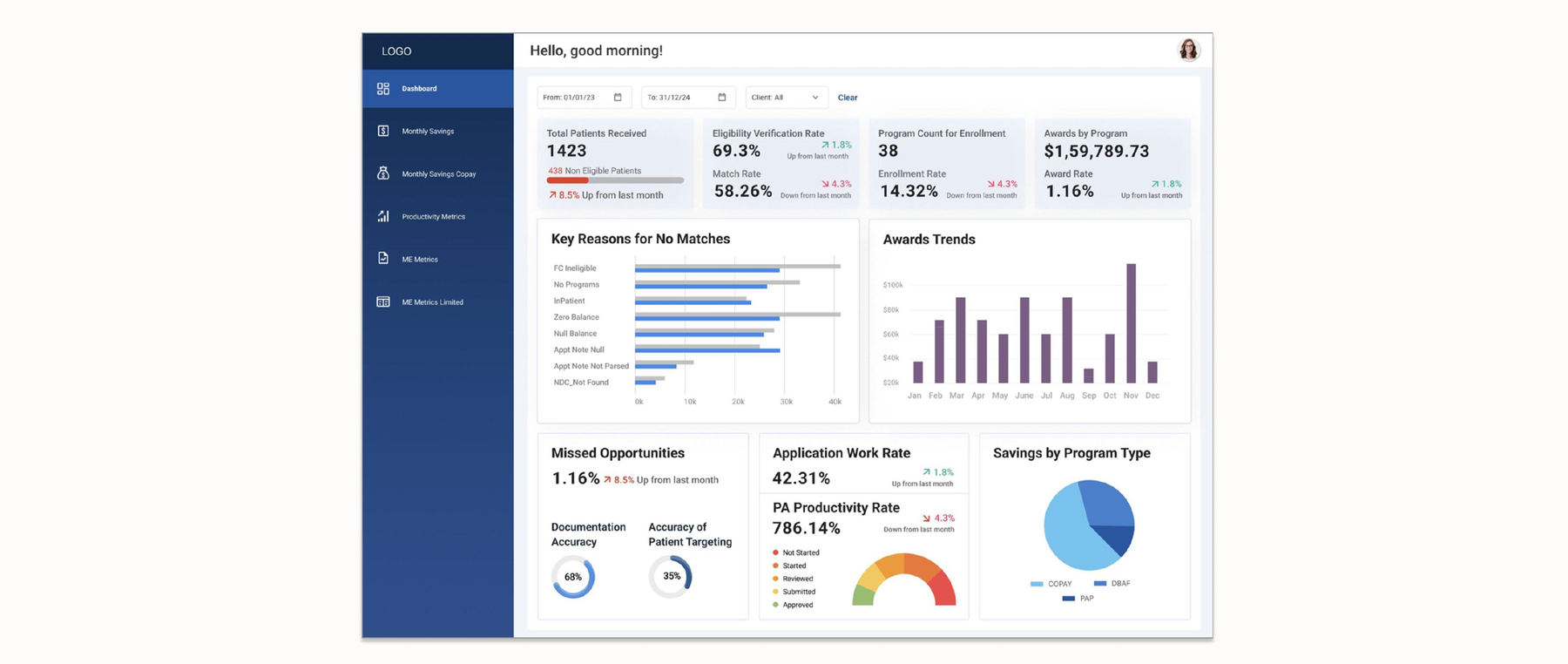

Fig. 02 — Monthly Savings shows patient savings, utilization rate, and total impact over time. This section focuses on the financial side of program performance. Presenting the data visually made it easier to spot high performing programs or areas where funding wasn't being used as effectively.
Fig. 03 — Monthly Savings by CO PAY offers a granular comparison across groups and regions. A deeper analysis of copay related performance, useful for users who needed a more granular view of program value across categories or regions.
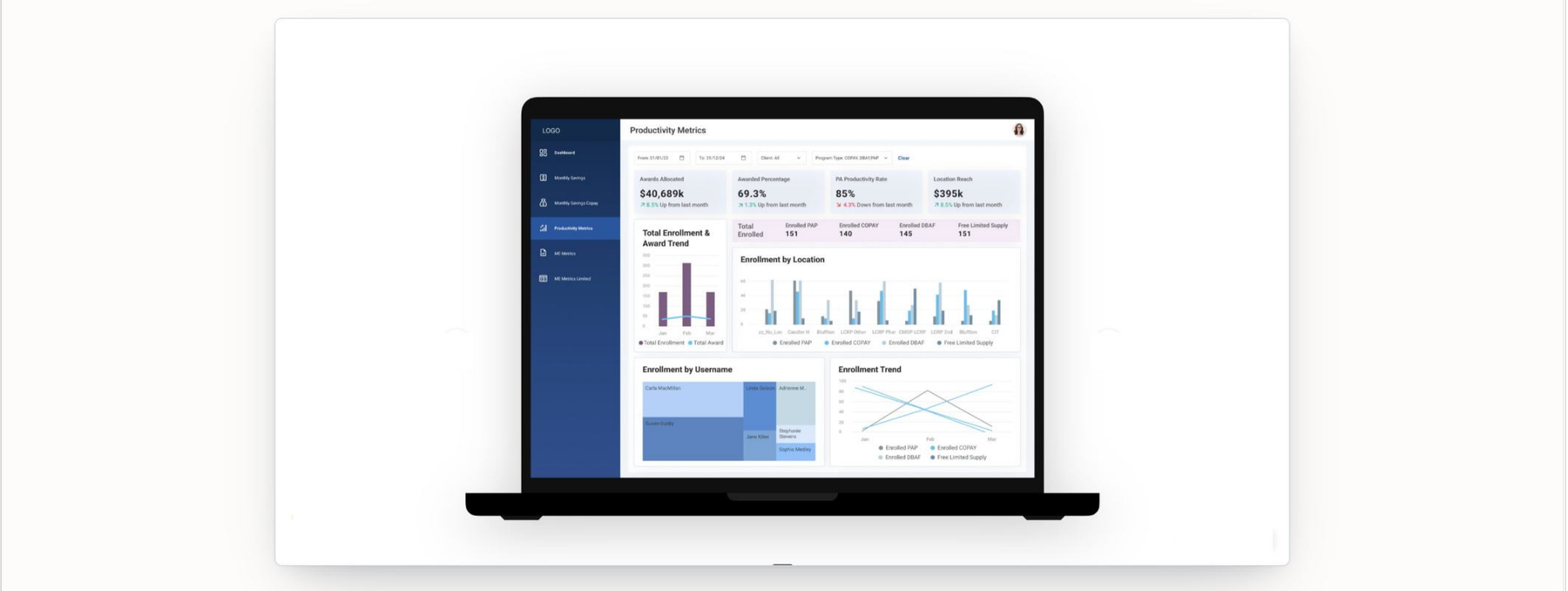
The Productivity Metrics module shifts the focus from financial performance to how smoothly the program is running, including awards, work rates, productivity, and team level indicators side by side.
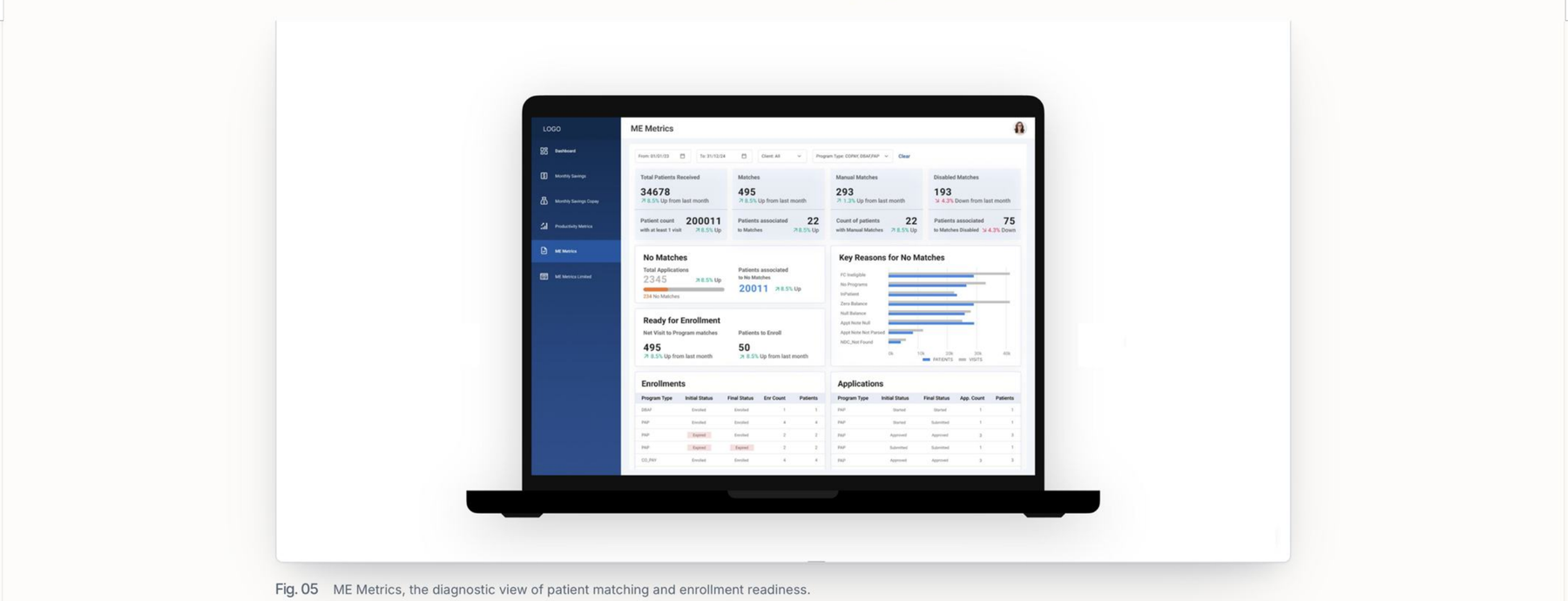
ME Metrics is the most diagnostic part of the application. It focuses on patient matching and enrollment readiness, helping users understand how many patients progressed, how many did not, and why. The "reasons for no matches" view turned a hidden process issue into a visible one, so instead of only seeing low matches, users could understand the causes and improve targeting accuracy.
A simplified version for users who don't need the full operational detail but still want access to the most important matching and enrollment metrics, keeping the experience consistent across reporting needs.
Click through the interactive Figma prototype below to see the full application flow.
This project was designed a few years ago, before AI assisted workflows became common in everyday product design. The experience was built manually in Figma with close attention to pixel precision, information hierarchy, alignment, and clarity across data heavy screens.
Because the product was replacing Excel, the design priority was usability rather than visual novelty. KPI cards, charts, and tables were arranged to help users scan quickly, compare information clearly, and move from overview to action without friction.
Use a dashboard as the main entry point for daily review.
Break complex reporting into dedicated modules instead of one overloaded screen.
Show no match reasons and missed opportunities so users could act on issues, not just observe them.
Move from spreadsheet dependency to a structured, web based workflow.
The final application gave users a clearer and more centralized way to monitor philanthropic program performance. It supported better tracking of patient volume, savings, productivity, and enrollment related issues, all within one connected system.
Most importantly, it turned manual reporting into a more actionable experience. Instead of piecing together answers from spreadsheets, users could move through a structured application built around their decision making needs.
| Area | Earlier Approach | Future Improvement Using AI | Expected Impact |
|---|---|---|---|
| Reporting flow | Users move across multiple screens to gather insights manually. | An AI assistant that can answer questions across the application in natural language. | Faster insight discovery and less navigation effort. |
| Data interpretation | Users read charts, tables, and KPIs to understand trends on their own. | AI summarizes patterns, explains changes, and highlights unusual behavior. | Easier understanding of complex data and quicker decisions. |
| Cross screen analysis | Users compare dashboard, savings, productivity, and metrics views separately. | AI connects information across screens and answers combined questions. | More holistic understanding of program performance. |
| User guidance | The interface depends on the user knowing where to look. | AI guided prompts such as "what changed this month" or "why no matches increased." | Lower learning curve and better support during exploration. |
| Actionability | The application shows information clearly, but users still decide next steps. | AI suggests possible follow ups, priority areas, or sections to review next. | More actionable experience and better follow through. |
| Product evolution | A strong manual reporting system. | Revisit it as an AI assisted web experience while keeping the reporting structure. | A more modern and adaptive direction without losing the original strengths. |
If revisited today, this product could evolve from a structured reporting application into a more assistive experience where AI helps program managers ask better questions, find answers faster, and act with greater confidence.
More Work